9. Auto-artifacts — PNG + summary.md 机制
目标
让 agent 不需要额外动作就能拿到:
- 图(给多模态 agent 看的)—— 直接验证"这一步做对没"。
- 结构化文字摘要(给文本 agent 看的)—— formula / lattice / motifs / sites,全部在 < 500 token 内。
触发时机
每次 CLI 内部调用 context.set_current(new_path, op=...) 时自动触发。所有会写结构的命令都会调它:
mat build *      mat strain        mat vacuum         mat recenter
mat perturb      mat /sites *      mat /lattice update
mat /defects     mat /bilayers     mat /adsorbates create
调用的 hook:cli/artifacts.py:emit_for(path, op=...)。
产物布局
runs/001-run/
├── mos2.vasp                ← 结构
├── mos2.png                 ← 视觉 (220 dpi, ~70KB)
└── mos2.summary.md          ← 文本摘要 (~1KB)
文件名永远和 <stem> 一致,便于配对。
PNG 长什么样
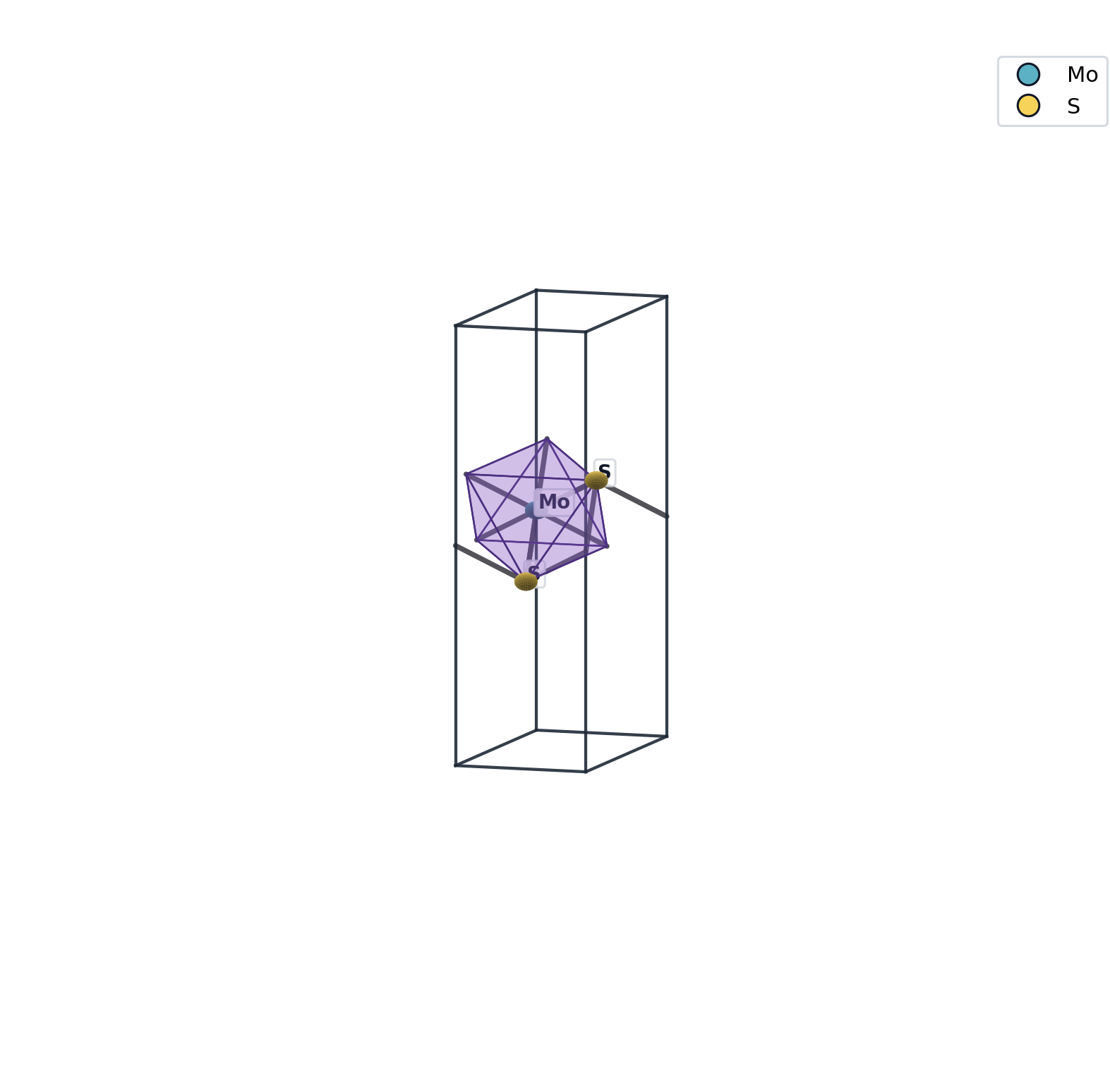
3D 科学渲染,Blender 优先(publisher-grade:Eevee 引擎、emission-only 材质、正交投影、Jmol 完整元素配色)。若 Blender 不可用则自动回退 matplotlib。含:
- 原子球(UV sphere, 64 segments,按元素染色)
- 键 / motif 多面体(半透明)
- 晶胞线框
- 三光源漫反射(无镜面高光)
安装 Blender 以获得最佳渲染质量:
brew install --cask blender    # macOS 推荐
bash setup_blender.sh          # 自动配置 MAT_BLENDER_BIN
不装 Blender 也能用——自动回退 matplotlib,不会报错。
多视角 PNG(v0.4.1+)
结构自检常需要不同晶体学视角,而不只是默认等轴测。预设见 material_runtime/view_presets.py:
| 预设 id | 含义 |
|---|---|
default | 等轴测,主图 <stem>.png |
ab_top | 沿 c 俯视 ab 面(超胞、缺陷面内位置) |
ac_side | ac 剖面(层厚、真空) |
ab_tilt | 微倾俯视(缺陷/双层) |
slab_surface | 表面斜视角(吸附、催化 slab) |
# 构建链全程多角度(2D/缺陷/异质结推荐)
export MAT_RENDER_VIEWS=auto
mat build mos2 -q
# → mos2.png + mos2.view-ab_top.png + mos2.view-ac_side.png + ...

# 手动补渲染
mat render structure def.vasp -o def.png --views auto -q
mat render structure def.vasp -o def.ab.png --view ab_top -q
auto 按结构几何(2D / slab / bulk)选 3–4 个视角;主图仍优先 Blender,附加视角用 matplotlib 以节省时间。
例子:
所有展示结构均可拖拽旋转、滚轮缩放、右键平移(3Dmol.js + WebGL)。每个 mat build 产物同时输出静态 PNG 和 XYZ 结构文件。
summary.md 长什么样
# mos2.vasp
*Produced by* `build.monolayer` *at* `2026-05-25 07:06:10`

## Composition
- formula: **MoS2**
- sites: 3 (2 species)
- elements: Mo S
## Lattice
- a, b, c: `3.1600 3.1600 15.0000` Å
- angles : α=`90.00` β=`90.00` γ=`120.00`°
- volume : `129.7167` ų
## 2D layer (along c)
- slab z range: `[5.94, 9.06]` Å
- slab thickness: `3.12` Å
- vacuum (c − slab): `11.88` Å
## Motifs
- `SMo3_trigonal` × 2
- `MoS6_octahedral` × 1
## Sites (first 20)
| idx | el | x | y | z | frac_z |
|----:|:---|----:|----:|----:|------:|
| 0 | Mo | 0.000 | 0.000 | 7.500 | 0.500 |
| 1 | S | 0.000 | 1.824 | 9.060 | 0.604 |
| 2 | S | 1.580 | 0.912 | 5.940 | 0.396 |
## Files
- structure: `mos2.vasp`
- summary : `mos2.summary.md`
- render : `mos2.png`每一节都为 agent 优化:
- Composition:一眼看到化学组成
- Lattice:6 个数字 + 2D 解读
- Motifs:本结构最重要的语义信息
- Sites:截 20 行避免大结构污染 context;要全部用
mat sites --json
CLI 输出的提示
每次 emit 完,stderr 会简短告知:
artifacts: render=mos2.png summary=mos2.summary.md让 agent 知道刚才不光生成了 .vasp,还有这两个东西可以打开。
关闭
CI 批跑或不需要时:
export MAT_NO_ARTIFACTS=1
mat build mos2 -q                         # 只有 .vasp,无 .png / .summary.md
或单次:
MAT_NO_ARTIFACTS=1 mat build mos2 -q历史回溯
每次 set_current 会追加一条到 .mat-context.json 的 history(保留最近 20 条):
{
  "history": [
    {
      "op": "build.monolayer",
      "out": "/.../mos2.vasp",
      "ts": 1779624308,
      "png": "/.../mos2.png",
      "summary": "/.../mos2.summary.md"
    },
    {
      "op": "lattice.update",
      "out": "/.../mos2.strain2pct.vasp",
      ...
    }
  ]
}
agent 可以读这个 JSON 知道"我刚才做了什么"——是 run 级别 provenance 的轻量版。
与论文 recipe 的关系
跑 mat reproduce x.recipe.yaml 时,每一步内部都触发同样的 hook。所以 recipe 跑完后 runs/NNN-paper/ 里有完整的 PNG + summary trail,论文复现一目了然。
资源消耗
- PNG (Blender):Eevee 引擎,约 1–4 秒 / 结构(取决于原子数和 GPU)
- PNG (matplotlib, fallback):约 0.5–1.5 秒 / 结构
- summary:< 50 ms / 结构
500 原子 supercell 这种大体系建议关掉 PNG(设 MAT_NO_ARTIFACTS=1 然后手动调 mat /structures render 单点产图)。